Multi-page capture
Bring a whole document into one note.
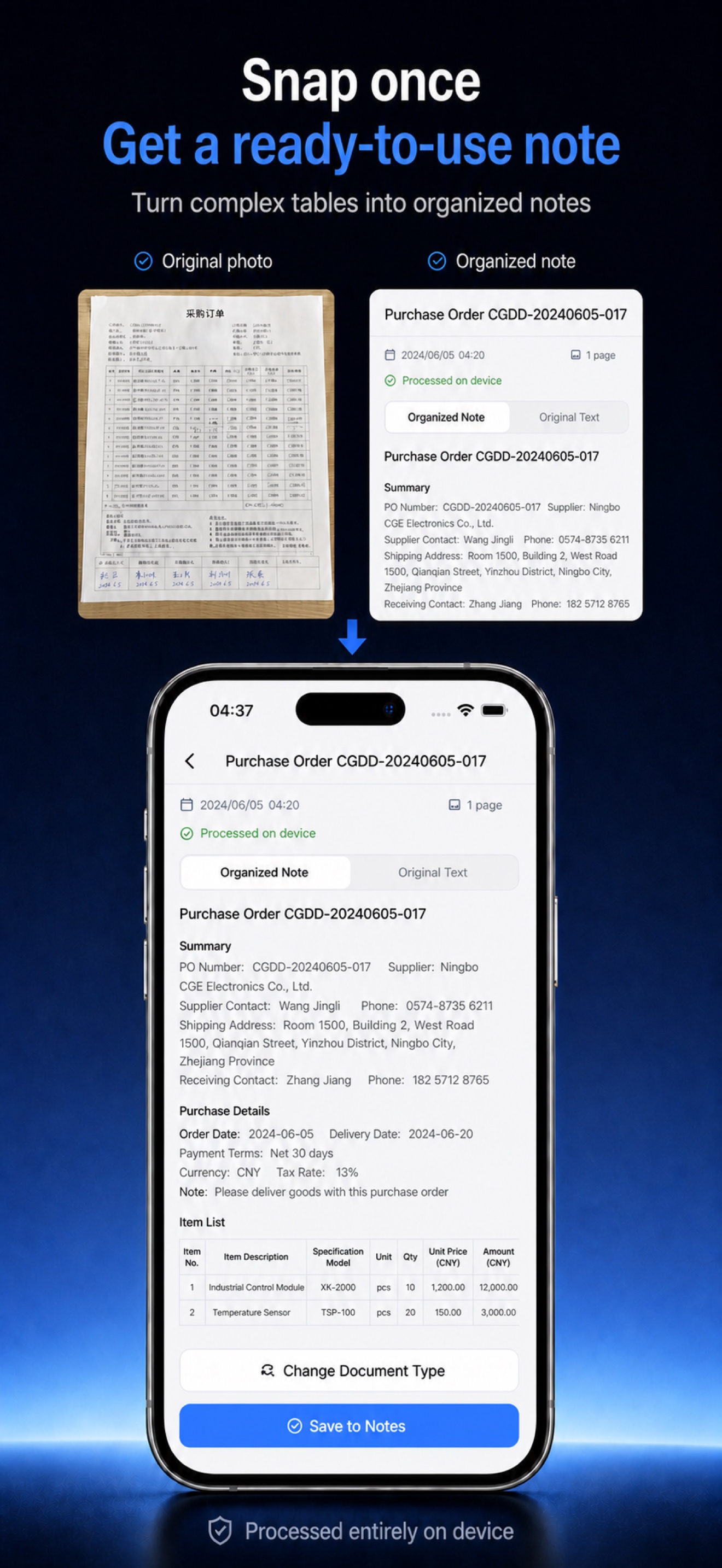
On-device AI for documents
Scan, organize, and ask your documents. Everything runs locally on your iPhone.
Requires iOS 26 or later
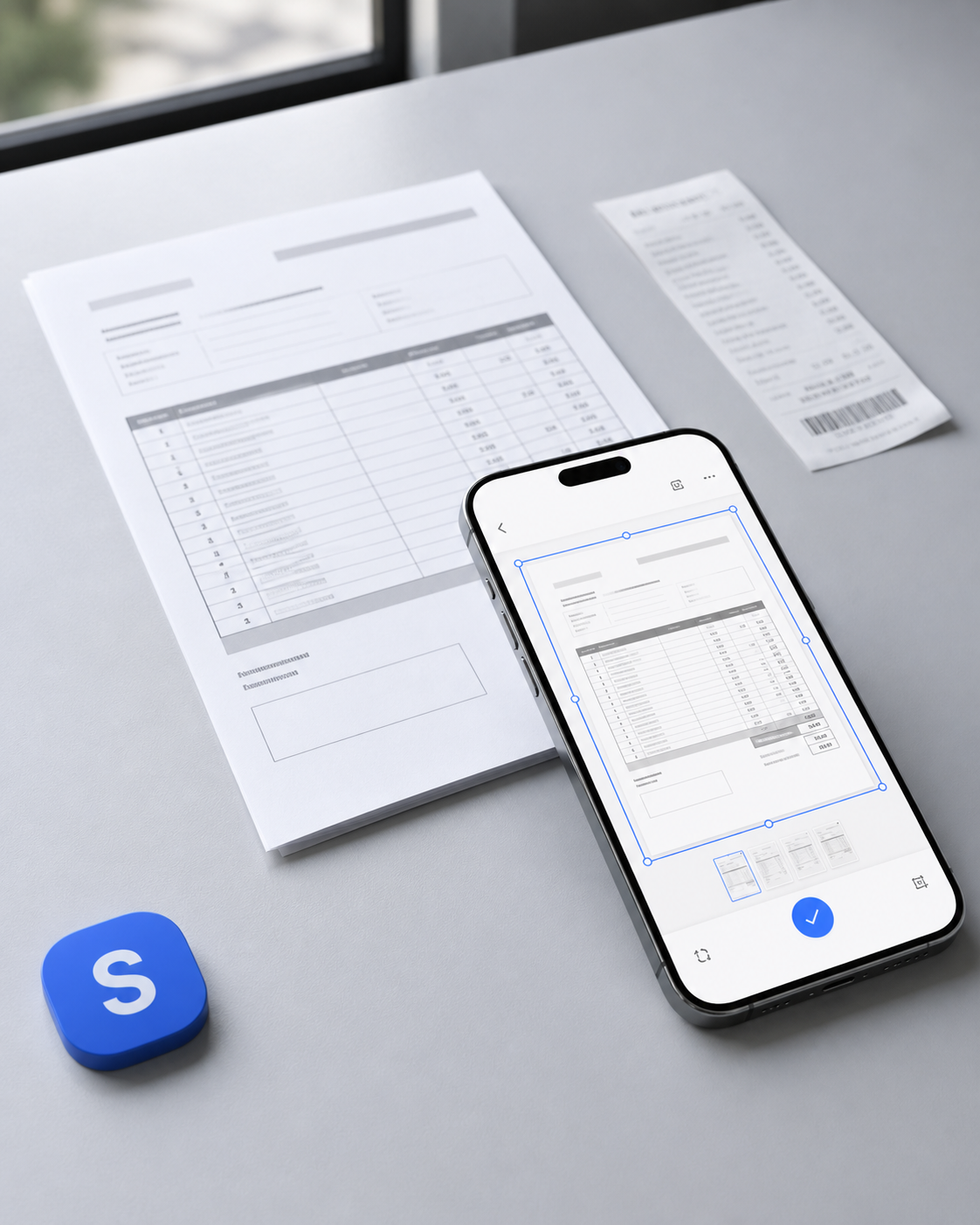
From camera to clarity
Keep the source image, inspect the OCR, and use the organized note. You never have to choose between speed and verification.
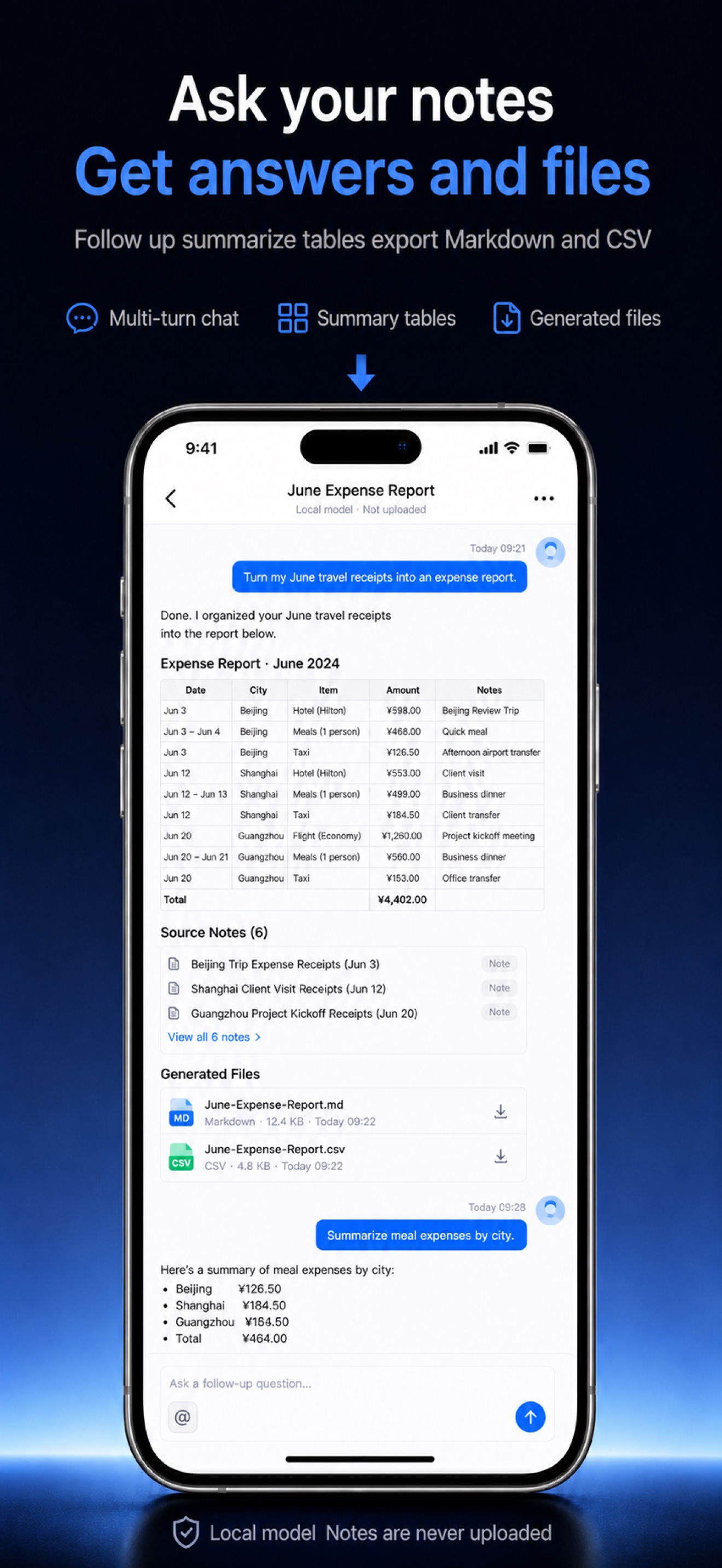
Ask Notes
Find details across your notes, summarize a document, or create Markdown and CSV files without sending the prompt to a cloud model.
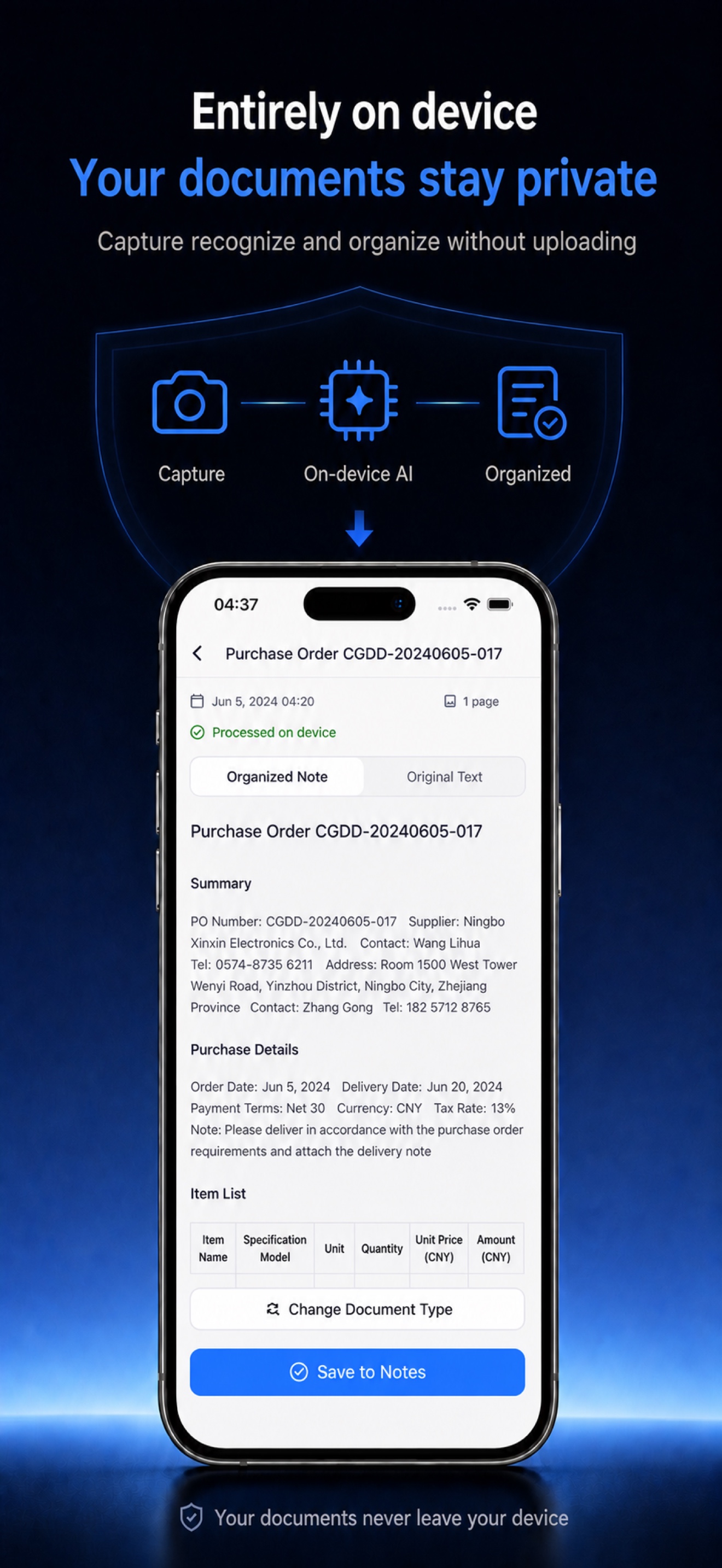
Private by architecture
Your photos, OCR results, organized notes, and questions are processed on your iPhone. The core document workflow does not depend on a remote AI service.
Built for real documents
Bring a whole document into one note.
Generate Markdown and CSV, then share them.
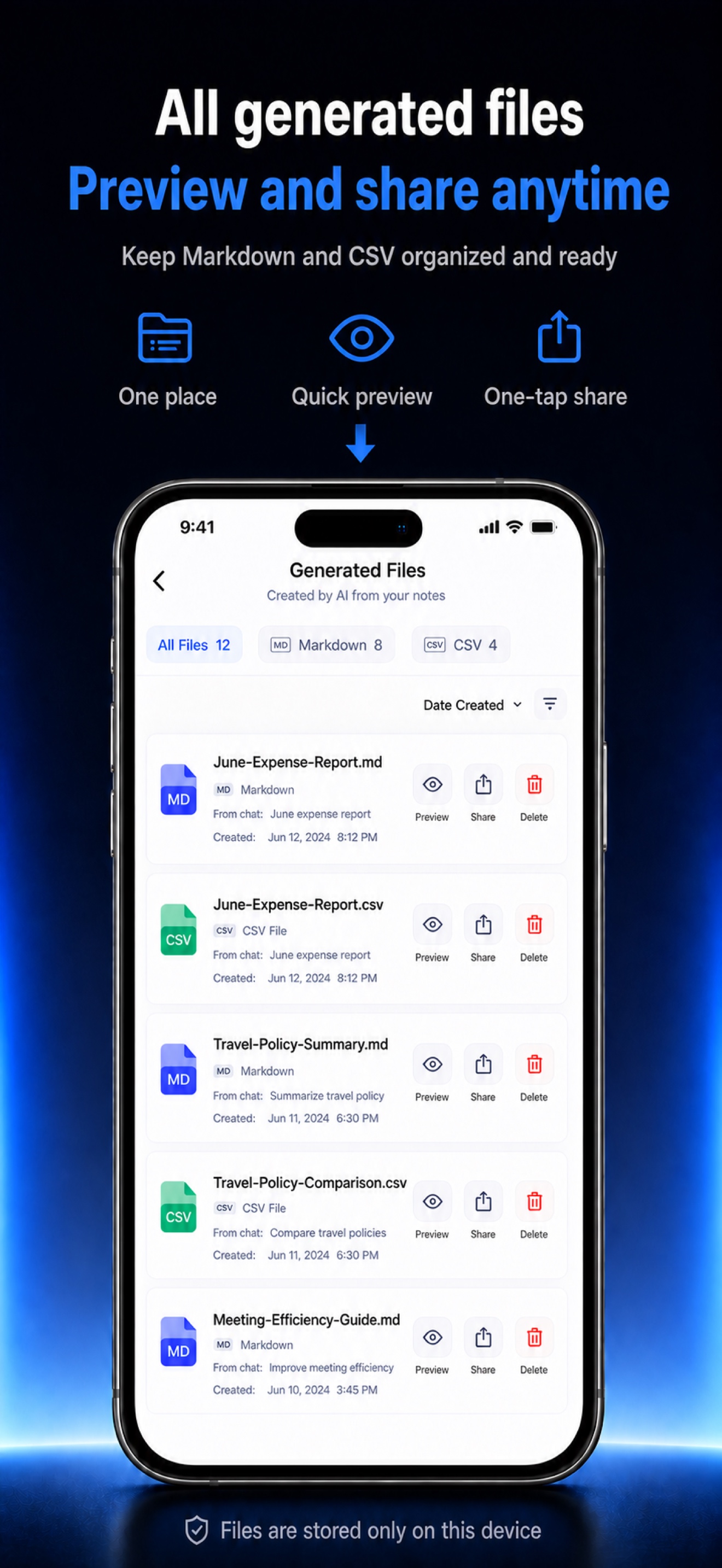
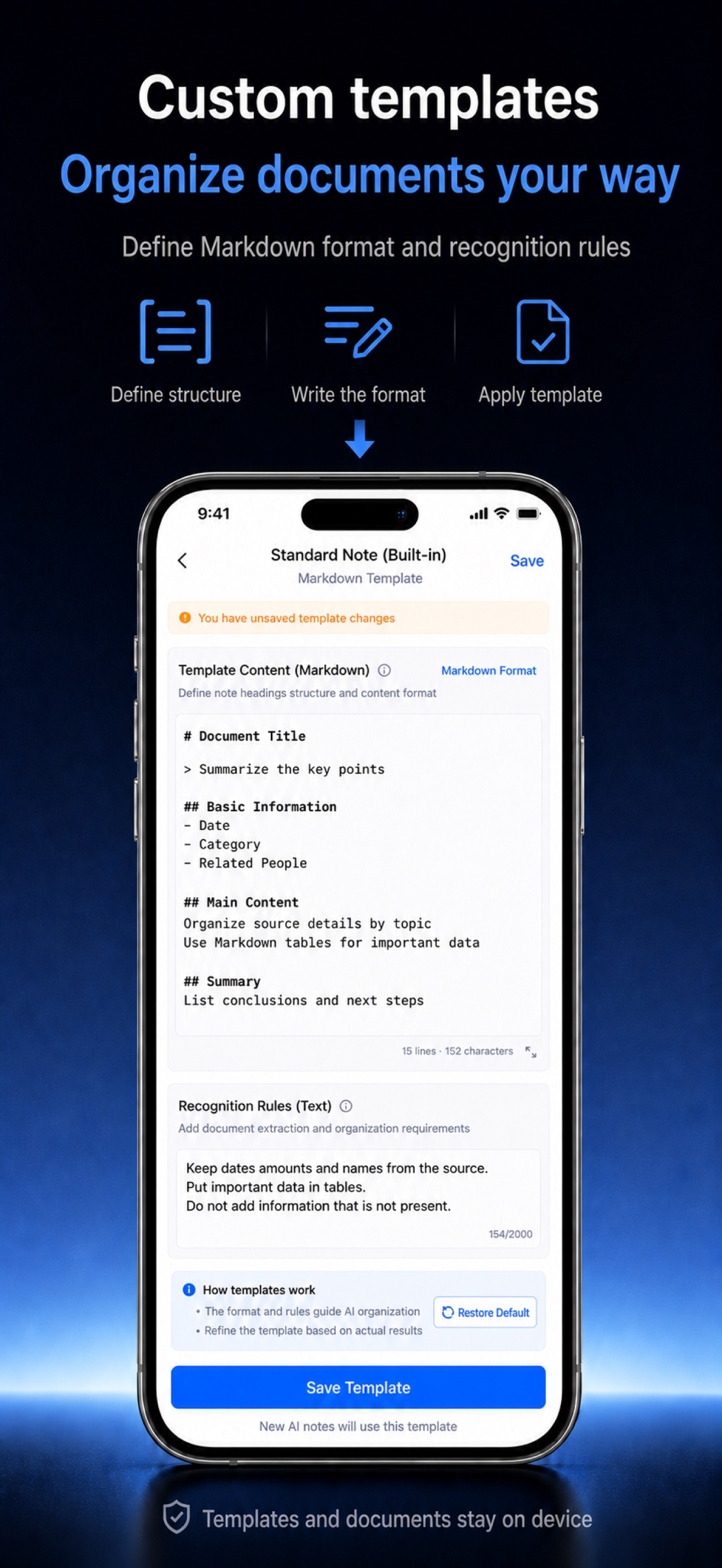
Choose how recurring documents should be organized.
Simple ownership
No monthly plan and no metered AI credits. SnapNote is designed as a tool you own, not a service you keep renting.
View on App StoreQuestions
The core recognition, organization, and Ask Notes workflows run with an on-device model and do not call a cloud AI API.
Yes. SnapNote is designed to recognize tables and preserve structured information so it can be reviewed and exported.
Yes. Once the local model is ready, the core AI workflow can run without an internet connection.
No. SnapNote uses a one-time purchase model with no monthly subscription or usage credits.

Turn the next photo into something you can actually use.